How to Add Products in Shopify (Complete Beginner Guide 2026)

How to Add Products in Shopify (Complete Beginner Guide 2026)

If you’re starting an online store, learning how to add products in Shopify is the most important step. Your products are what customers see, search, and buy. A properly added product can increase conversions, improve search rankings, and make your store look professional.

In this guide, you’ll learn step-by-step how to add products on Shopify, including images, pricing, inventory, variants, shipping, and SEO.

Step 1: Go to the Products Section

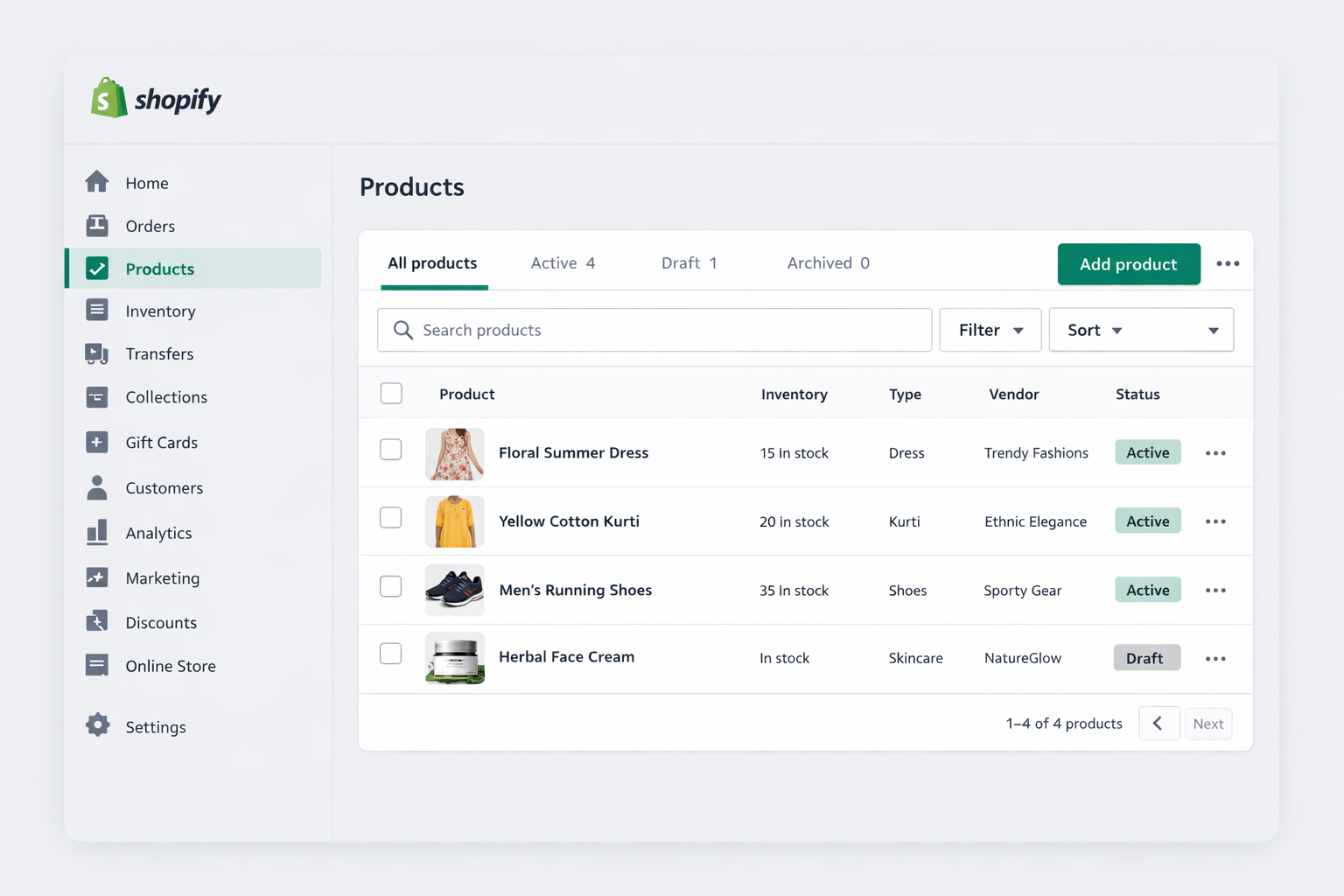
Log in to your Shopify dashboard

➡ Click Products from the left menu
➡ Click Add Product

Every physical, digital, or service product must be created here.
Step 2: Write a Strong Product Title


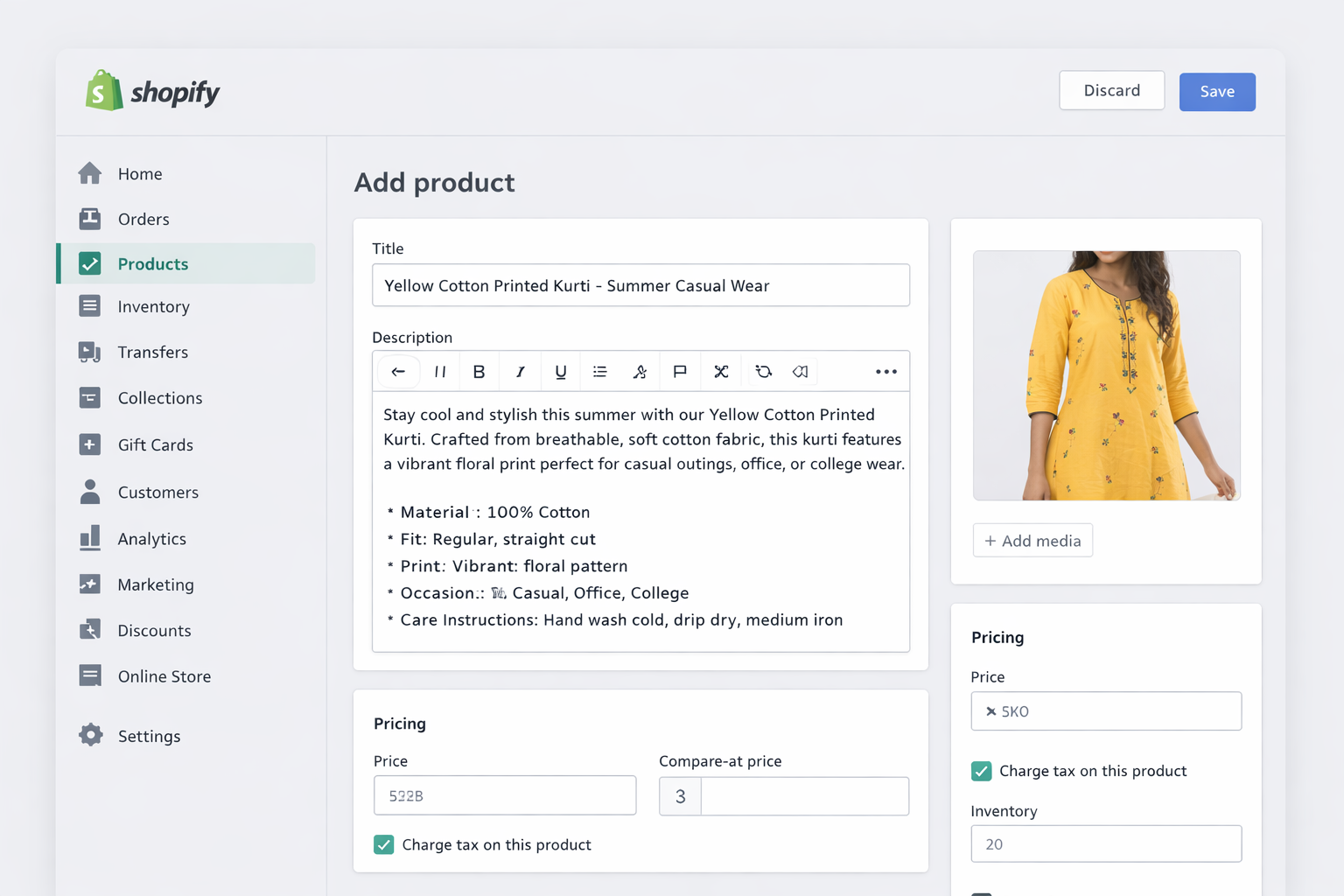
Your Shopify product title should clearly explain:

✔ What the product is
✔ Who it is for
✔ Key feature

Example: Women’s Cotton Printed Kurti – Summer Casual Wear

This improves:

  • Customer clarity

  • SEO rankings

  • Ad performance

Step 3: Add a High-Converting Product Description


Your Shopify product description should sell, not just describe.

Use this structure:

  • Problem it solves

  • Features

  • Benefits

  • Who should buy

  • Care instructions

Step 4: Upload Product Images


Images are the #1 factor in online sales.

Best practices:

✔ White/clean background
✔ Front view, back view, close-up
✔ Lifestyle/model photo
✔ Minimum 4 images
✔ Use 2000×2000px square images

Step 5: Set Product Pricing


Add:

  • Price = Selling price

  • Compare at price = Original price (shows discount)

Example: ₹799 (Compare at ₹1199)

This displays a discount badge automatically.

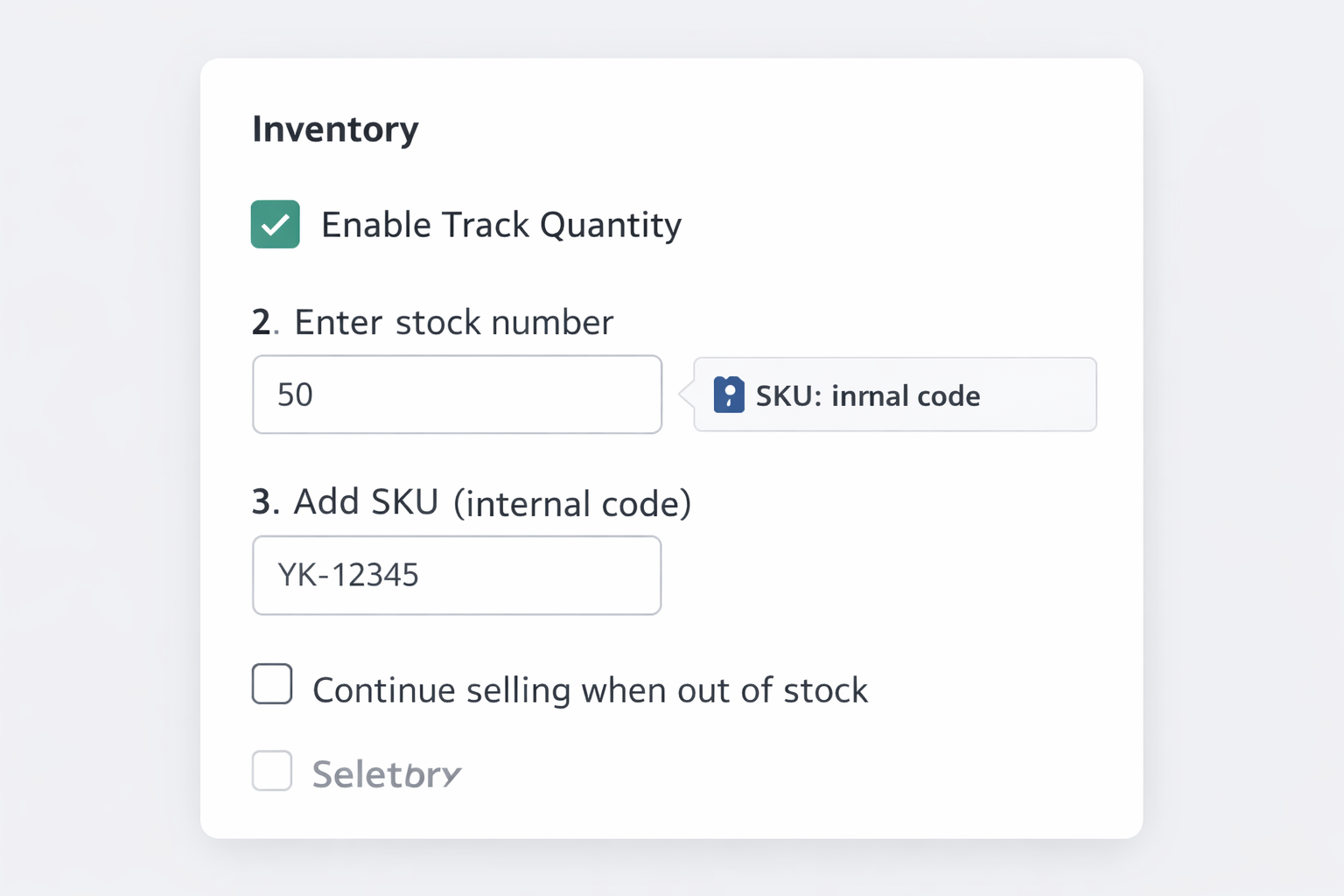
Step 6: Configure Inventory


✔ Enable Track Quantity
✔ Enter stock number
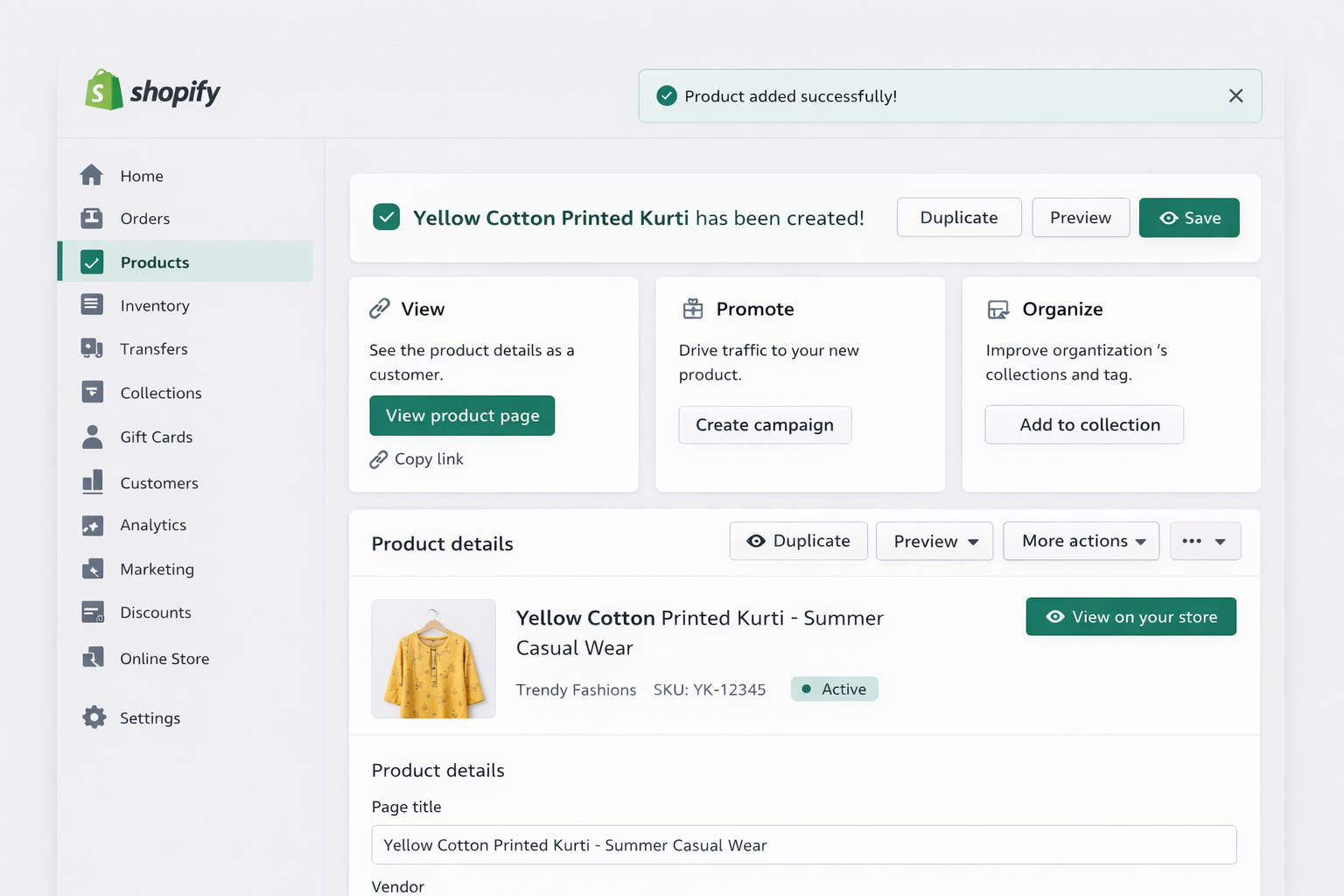
✔ Add SKU (internal code)
Step 7: Shipping Settings

If selling a physical product:

✔ Keep shipping checked
✔ Add weight
✔ Add country of origin
✔ Add HS code (for international shipping)

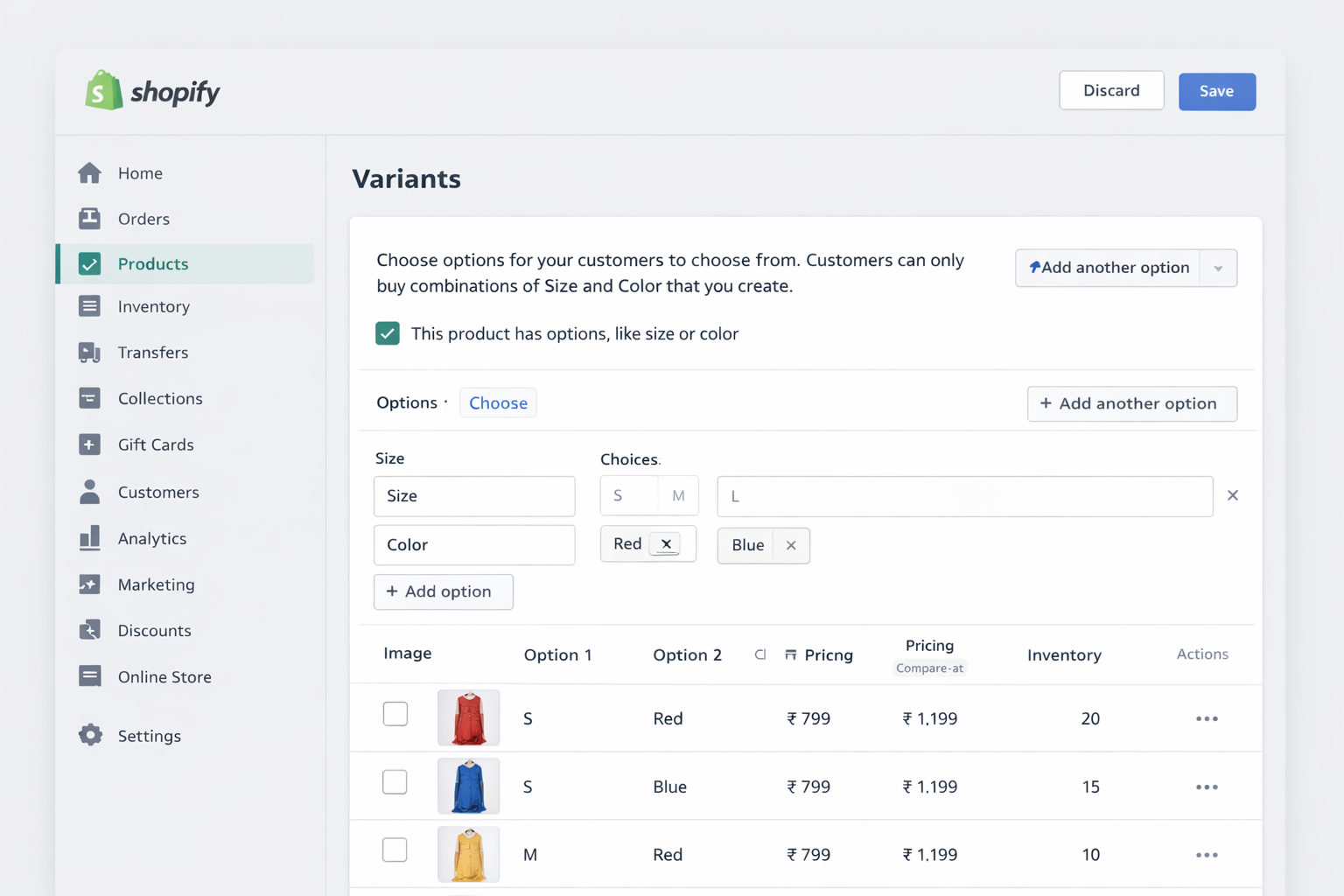
Step 8: Add Variants (Size, Color, etc.)

Variants allow multiple options.

Example:

  • Size: S, M, L

  • Color: Red, Blue

Each variant can have different price, stock, and image.
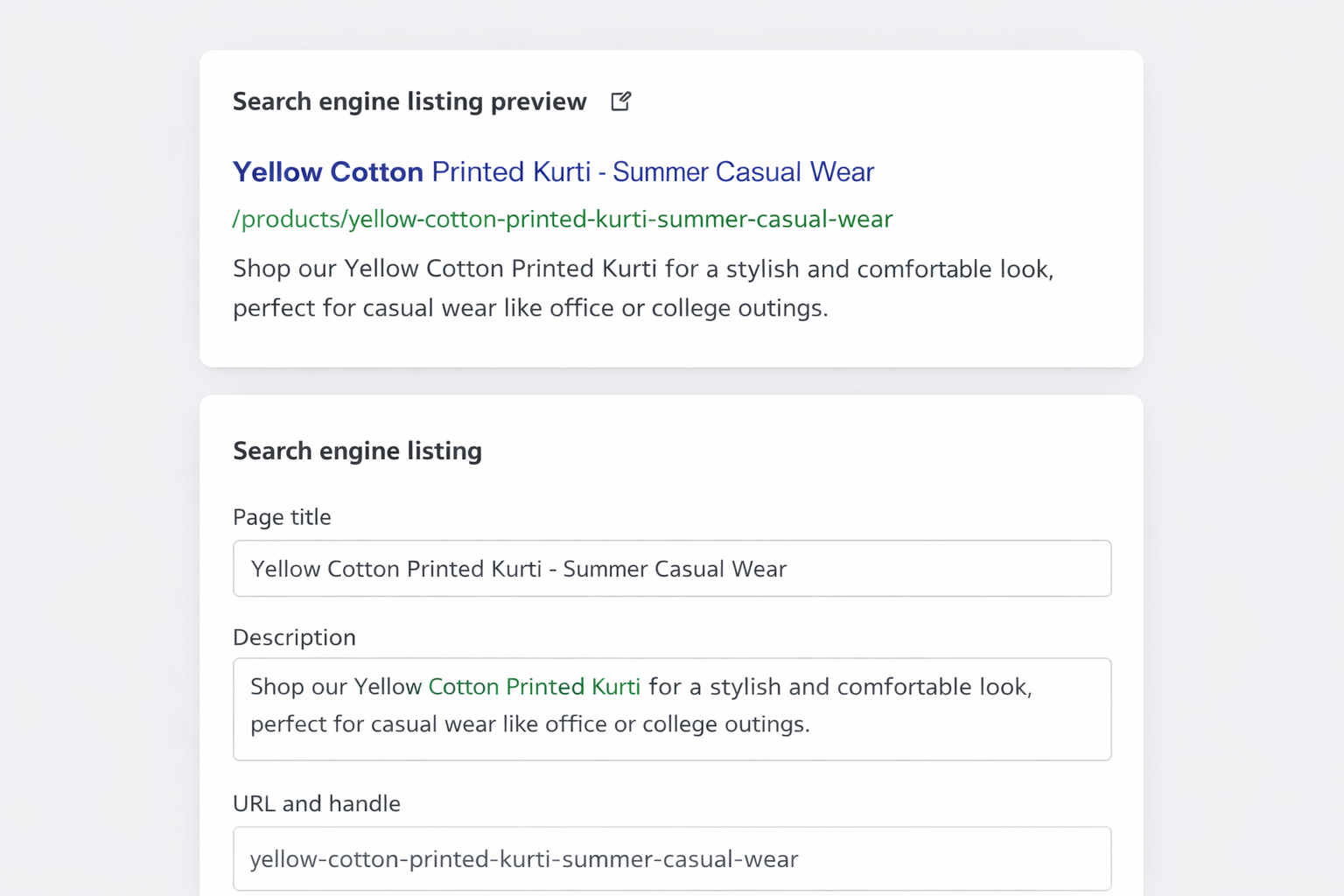
Step 9: Optimize Search Engine Listing (SEO)

Click Edit Website SEO

Add:

Page Title: Buy Cotton Printed Kurti Online in India
Meta Description: Shop high-quality cotton printed kurtis for daily wear, office, and college. Stylish, comfortable designs with fast delivery across India.
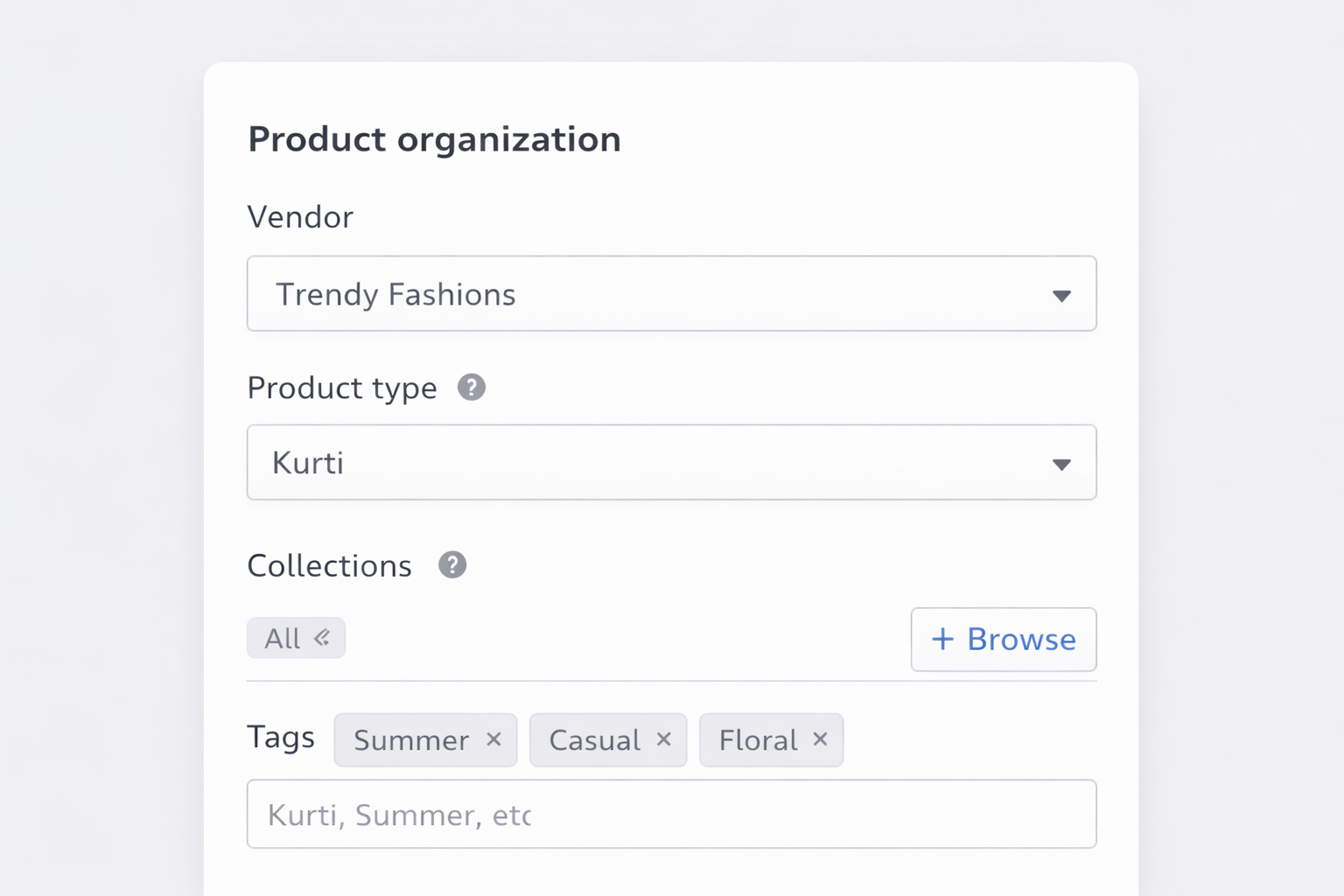
Step 10: Product Organization

Use:

  • Vendor = Brand name

  • Product Type = Category

  • Collections = Where product shows

  • Tags = For filters

This helps customers find products easily.
Step 11: Set Product Status

At the bottom:

  • Draft → Not visible

  • Active → Live on store

Common Mistakes to Avoid

❌ Only one image
❌ No description
❌ Wrong pricing
❌ Not tracking stock
❌ No variants
❌ No SEO title/meta description

Final Thoughts

Now you know exactly how to add products in Shopify the right way. A well-optimized product page improves trust, SEO, and conversions.

If you want your Shopify store professionally designed for better sales, you can contact me for Shopify website design and optimization services.

How To Create A Shopify Account

A Step-by-Step Guide: How to Create a Shopify Account

In the digital age, launching your own online store has never been easier, thanks to platforms like Shopify. This comprehensive guide will walk you through the simple yet crucial process of creating your very own Shopify account. Whether you’re a budding entrepreneur or an established business looking to expand into the online realm, these steps will set you on the path to e-commerce success.

Step 1: Navigate to Shopify’s Official Website

Open your preferred web browser and search for “Shopify.” Click on the official Shopify website link, which should be one of the top results. Alternatively, you can directly access the site by typing “www.shopify.com” into your browser’s address bar.

Step 2: Click on “Get Started

On Shopify’s homepage, you’ll find a prominent button that says “Get Started.” Click on it to initiate the account creation process.

Step 3: Provide Your Email Address

A pop-up window will appear, asking you to provide your email address. Enter the email address you wish to associate with your Shopify account. Ensure that it’s a valid and frequently accessed email, as this will be essential for communication regarding your online store.

Step 4: Create a Password

For your Shopify account, create a strong and secure password. Make sure to include a mix of upper and lower case letters, numbers, and special characters to enhance security.

Step 5: Enter Your Store’s Name

Next, you’ll be prompted to enter the name of your online store. This is an important step, as it will be the name that customers associate with your brand. Take your time and choose a name that reflects your products or business identity.

Step 6: Specify Your Business Details

You’ll need to provide some basic information about your business, including your physical address and phone number. This information is crucial for setting up payment processing and fulfilling orders.

Step 7: Tell Shopify About Yourself

Shopify will ask you a few questions about yourself and your current selling situation. This information helps Shopify tailor its services to your specific needs.

Step 8: Select Your Products

Indicate whether you’re already selling products or are just getting started. This step helps Shopify provide you with appropriate suggestions and features for your online store.

Step 9: Choose Your Store’s Revenue

Let Shopify know about your business’s annual revenue. This helps them recommend suitable plans and features based on your budget and needs.

Step 10: Explore Your Shopify Dashboard

Once you’ve completed these steps, you’ll be directed to your Shopify dashboard. This is your control center, where you can customize your store, add products, set up payment gateways, and more.

Congratulations! You’ve successfully created your Shopify account and taken the first step towards establishing your online store. Now, it’s time to start customizing, adding products, and turning your e-commerce dreams into reality. With Shopify’s user-friendly interface and powerful features, you’re well on your way to e-commerce success.

What is Shopify

What Is Shopify?

Shopify reigns as a prominent force in the realm of e-commerce platforms, equipping a diverse array of individuals and businesses to embark on their digital retail journey. At its core, Shopify offers a powerful toolkit that facilitates creating, operating, and managing online stores.

Intuitive Interface, Inclusive Solutions

Whether you’re a solo entrepreneur with a unique product line or an established enterprise extending its digital reach, Shopify provides an intuitive solution to realize your e-commerce aspirations. Its seamless interface prioritizes user-friendliness, distilling the complexities of creating an online store into manageable steps.

Versatility That Knows No Bounds

The platform’s versatility stands out, catering to an expansive spectrum of industries, niches, and business sizes. Whether your offerings are tangible products, digital downloads, or subscription-based services, Shopify accommodates these diverse needs, providing a canvas for customization and brand representation.

Global Reach, Seamless Transactions

Shopify goes beyond its role as an e-commerce platform. It acts as a gateway to the digital marketplace, enabling entrepreneurs to transcend geographical boundaries and tap into a global audience. Through offering a suite of tools and functionalities, Shopify empowers users to curate visually appealing storefronts, optimize their offerings for search engines, and streamline payment and order fulfillment processes.

Commitment to Evolution

Since its inception, Shopify has embraced a user-centric philosophy, continually evolving to align with the shifting landscape of online commerce. This commitment reflects in its regular updates, responsive customer support, and a continually expanding ecosystem of applications and integrations.

Catalyst for Transformation

In essence, Shopify is not a mere platform; it catalyzes transformation. It empowers visionaries to transition from ideas to fully operational online stores. By combining cutting-edge technology with a commitment to simplicity, Shopify remains an invaluable asset for those navigating the intricate tapestry of e-commerce and carving their niche in the digital marketplace. With Shopify, your online journey begins, evolves, and thrives.