
The Essential Features of Any Ecommerce Store
In today’s digital age, having an online store is no longer a luxury, but a necessity for businesses of all sizes. Whether you’re a small business owner looking to expand your reach or someone eager to start a new ecommerce venture, building the right online store is critical to your success. In this blog, we’ll explore the essential features every ecommerce store should have to ensure it delivers a seamless user experience and generates sales. If you’re considering starting an ecommerce business, this guide will help you understand the must-haves for your store. 

1. User-Friendly Navigation

When customers land on your ecommerce website, the first thing they’ll notice is how easy (or difficult) it is to navigate. An intuitive and simple navigation structure helps users find what they need without hassle. Categories, product filters, and search functionality should be designed to make browsing smooth and easy. Consider organizing your products into logical categories, and always ensure the search bar is prominently displayed.

Pro Tip: Shopify offers customizable themes that help businesses design intuitive and clean navigation, enhancing the user experience.

2. Mobile Optimization

Mobile shopping is on the rise, with more customers using smartphones to browse and purchase products. An ecommerce store that isn’t mobile-friendly is likely to lose out on a significant number of potential customers. Your website must be responsive and optimized for smaller screens. Ensure that buttons are easy to tap, product images are clear, and the checkout process is smooth on mobile devices.

With Shopify, all its themes are responsive, ensuring your store looks great and functions perfectly across all devices.

3. Secure Payment Gateway

Security is one of the biggest concerns for online shoppers. They want to know that their personal and financial information is safe when making a purchase. A secure payment gateway is crucial for building trust with your customers. Payment options should include a variety of methods, such as credit cards, PayPal, and digital wallets, while offering end-to-end encryption to protect sensitive data.

Shopify integrates with more than 100 payment gateways, providing a secure and diverse range of options for ecommerce transactions.

4. Fast Loading Speed

The speed of your website can directly affect conversion rates. A slow-loading ecommerce store frustrates customers, increasing bounce rates and reducing the likelihood of a sale. According to research, a delay of just one second can result in a 7% reduction in conversions. Therefore, it’s essential to ensure your site loads quickly.

Shopify’s infrastructure is built for performance, ensuring your store operates at optimal speed, even during high traffic periods.

5. Detailed Product Pages

Your product pages are the heart of your ecommerce store. Detailed descriptions, high-quality images, and customer reviews help potential buyers make informed decisions. Don’t skimp on product details—describe features, benefits, sizes, materials, and other specifications clearly. Additionally, make sure to include multiple images of the product from various angles, along with zoom functionality for a closer look.

On Shopify, you can easily customize your product pages with images, reviews, and even video content to create an engaging shopping experience.

6. Seamless Checkout Process

Cart abandonment is a significant issue for many ecommerce businesses, and a complicated or lengthy checkout process is often to blame. To reduce cart abandonment, your checkout should be as simple and seamless as possible. Allow for guest checkout, minimize the number of steps required to complete a purchase, and offer multiple payment methods.

Shopify’s one-page checkout process ensures a smooth experience for customers, encouraging them to complete their purchase without getting frustrated.

7. Marketing and SEO Integrations

A successful ecommerce store isn’t just about selling products—it’s also about attracting customers. Marketing tools such as email campaigns, social media integration, and search engine optimization (SEO) play a vital role in driving traffic to your store. Ensure your store has built-in SEO features, such as meta tags, image alt texts, and customizable URLs to help your products rank higher on search engines.

With Shopify, you have access to a range of marketing tools and apps, including SEO features, email marketing integration, and social media advertising options, all designed to help your business grow.

8. Customer Support and Live Chat

Customers often have questions before making a purchase, and quick access to support can be the deciding factor in closing a sale. Offering customer support options such as live chat, email, or phone support ensures that you’re available when they need help. Many ecommerce stores also use chatbots to answer common questions instantly.

Shopify integrates with various customer support apps, allowing you to provide excellent service that keeps your customers satisfied.

9. Analytics and Reporting

To grow your ecommerce business, you need to track what’s working and what’s not. Analytics and reporting tools allow you to monitor sales, customer behavior, and website traffic. This data helps you make informed decisions about product offerings, marketing campaigns, and inventory management.

Shopify’s built-in analytics tools provide you with detailed reports on your store’s performance, helping you make data-driven decisions.

10. Trust Signals

Trust is crucial for any ecommerce store. Trust signals such as SSL certificates, security badges, customer reviews, and return policies help reassure potential buyers. Displaying these elements prominently on your website can improve your credibility and boost conversions.

On Shopify, adding trust badges and security seals is straightforward, giving your customers the confidence they need to complete a purchase.


Conclusion

Building a successful ecommerce store involves more than just listing products online. You need to provide a seamless user experience, ensure security, and offer marketing tools to drive traffic. With Shopify, you have access to all the essential features that make running an ecommerce store both easy and effective.
The Latest Trends in WordPress Website Designing: A Guide for Business Owners

In today’s digital age, having a robust online presence is crucial for any business. WordPress, a powerful and versatile platform, is a popular choice for building professional websites. This blog explores the latest trends in WordPress website designing, aiming to educate business owners and help them stay ahead of the curve. Implementing these trends can significantly enhance user experience, improve website performance, and ultimately drive more leads and conversions.

1. Minimalist Design

Minimalist design continues to dominate the web design landscape. This trend emphasizes simplicity, with clean layouts, ample white space, and a focus on essential elements. By removing unnecessary distractions, minimalist design enhances user experience and ensures that the content takes center stage.

Why It’s Important:

  • Improves Load Time: Fewer elements mean faster loading times, which is crucial for user retention and SEO.
  • Enhances Readability: Clean layouts make it easier for visitors to navigate and consume content.
  • Professional Appeal: A minimalist approach exudes professionalism and modernity, which can positively impact brand perception.

How It Benefits Businesses: Adopting a minimalist design can make your website more user-friendly and efficient, encouraging visitors to stay longer and engage more with your content. This, in turn, can lead to higher conversion rates and customer satisfaction.

2. Mobile-First Design

With the increasing use of smartphones, designing websites with a mobile-first approach is no longer optional. A mobile-first design ensures that your website looks and functions well on all devices, providing a seamless experience for mobile users.

Why It’s Important:

  • User Experience: Mobile users expect fast and responsive websites. A mobile-first design meets these expectations.
  • SEO Benefits: Google prioritizes mobile-friendly websites in its search rankings, making this approach essential for SEO.
  • Wider Reach: With more people accessing the internet via mobile devices, a mobile-first design ensures you reach a broader audience.

How It Benefits Businesses: A mobile-first design can increase your website’s accessibility, improve user engagement, and enhance your search engine rankings, all of which contribute to higher traffic and more potential leads.

3. Interactive and Dynamic Elements

Incorporating interactive and dynamic elements into your WordPress website can significantly boost user engagement. Features like animations, hover effects, and interactive infographics make your website more engaging and enjoyable to navigate.

Why It’s Important:

  • Engages Visitors: Interactive elements capture attention and keep visitors engaged.
  • Improves User Experience: Dynamic content can make complex information more digestible and interesting.
  • Encourages Interaction: Elements like quizzes, polls, and sliders encourage users to interact with your content.

How It Benefits Businesses: Interactive elements can increase the time visitors spend on your site and encourage them to interact with your content, leading to higher engagement rates and a better overall user experience.

4. Dark Mode

Dark mode is a popular trend that provides an alternative color scheme, typically with light text on a dark background. This design option is not only aesthetically pleasing but also offers practical benefits.

Why It’s Important:

  • Reduces Eye Strain: Dark mode can be easier on the eyes, especially in low-light environments.
  • Energy Efficiency: On OLED screens, dark mode can save battery life.
  • Modern Appeal: Dark mode gives your website a sleek and contemporary look.

How It Benefits Businesses: Offering dark mode can enhance user experience by providing a comfortable viewing option, potentially increasing the time visitors spend on your site and improving user satisfaction.

5. Voice Search Optimization

As voice-activated devices become more prevalent, optimizing your WordPress site for voice search is essential. This trend involves creating content that is easily discoverable through voice queries, often involving more natural and conversational language.

Why It’s Important:

  • Growing Usage: More users are relying on voice assistants like Siri, Alexa, and Google Assistant for their search needs.
  • SEO Advantage: Optimizing for voice search can improve your site’s visibility in search engine results.
  • User Convenience: Voice search provides a convenient way for users to find information quickly.

How It Benefits Businesses: By optimizing for voice search, you can reach a wider audience, improve your search engine rankings, and provide a better user experience, all of which can lead to increased traffic and potential leads.

6. Artificial Intelligence and Chatbots

Integrating artificial intelligence (AI) and chatbots into your WordPress website can enhance customer service and streamline user interactions. AI-powered tools can provide personalized experiences and instant support, improving overall user satisfaction.

Why It’s Important:

  • 24/7 Availability: Chatbots provide round-the-clock assistance, answering queries and guiding users.
  • Personalized Experience: AI can tailor content and recommendations based on user behavior and preferences.
  • Efficiency: Automating routine tasks with AI can save time and resources.

How It Benefits Businesses: AI and chatbots can improve customer service, increase engagement, and provide valuable insights into user behavior, all of which can contribute to better lead generation and conversion rates.

By staying updated with these trends and implementing them on your WordPress website, you can create a more engaging, efficient, and user-friendly online presence. Embracing these trends not only enhances the user experience but also boosts your website’s performance and helps attract more leads, ultimately contributing to the growth and success of your business.

The Importance of Responsive Design for Small Businesses in 2024

In today’s digital age, where smartphones and tablets dominate how we access information, having a website that adapts seamlessly to different devices is no longer just a perk—it’s essential for small businesses aiming to thrive online. This is where responsive design steps in as a game-changer.


What is Responsive Design?

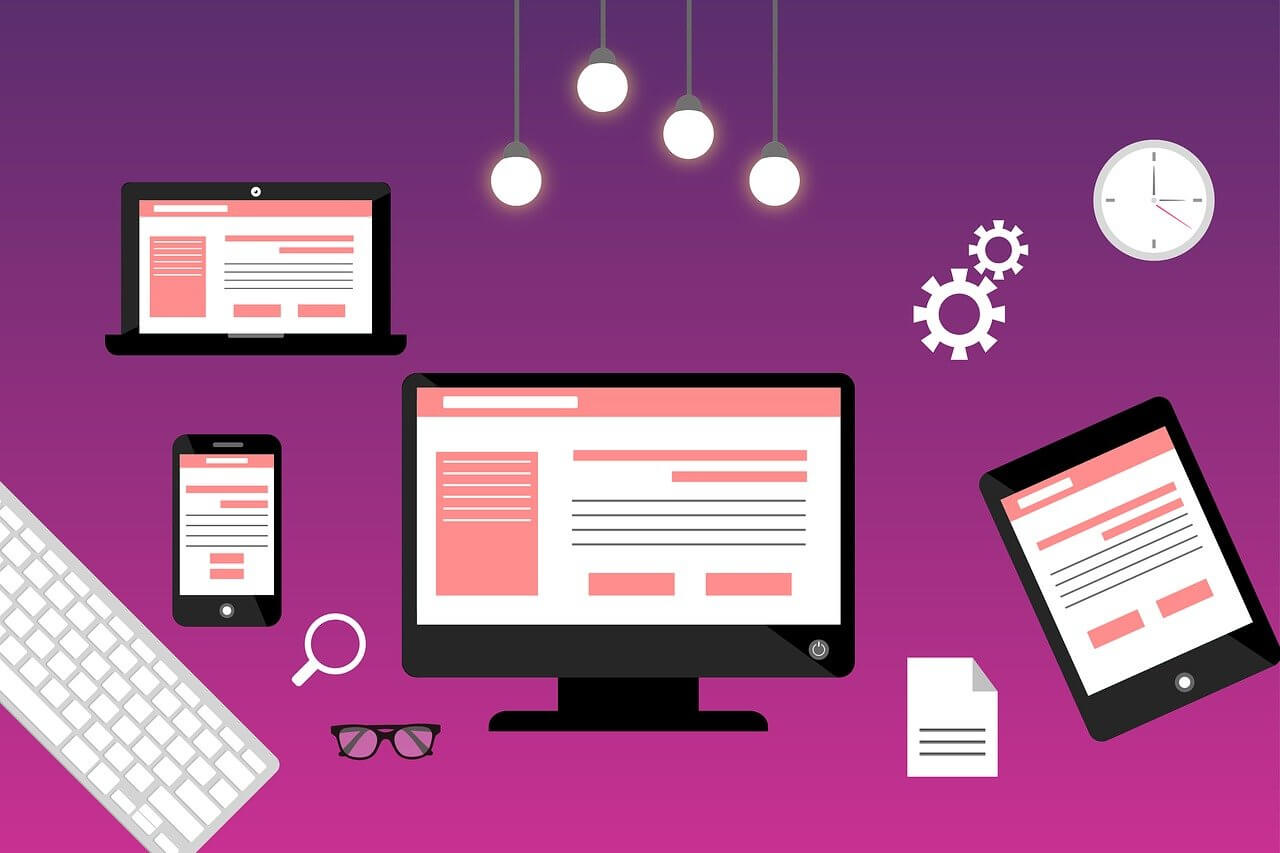
Responsive design refers to a web design approach that enables web pages to render effectively on a variety of devices and window or screen sizes. This means that whether a customer is browsing your site on a smartphone, tablet, or desktop computer, the website adjusts its layout and content to ensure an optimal viewing experience.


Why is Responsive Design Crucial for Small Businesses in 2024?

In 2024, the importance of responsive design cannot be overstated. With more people accessing the internet through mobile devices than ever before, a responsive website ensures that visitors can navigate your site effortlessly, regardless of the device they use. This seamless user experience translates directly into higher engagement, lower bounce rates, and increased conversions for your business.


Benefits of Responsive Websites

  1. Improved User Experience: A responsive website provides a consistent and user-friendly experience across all devices, leading to higher satisfaction among visitors. When users have a positive experience navigating your site on their smartphones or tablets, they are more likely to stay longer, explore more pages, and ultimately convert into customers.
  2. SEO Optimization: Search engines like Google prioritize mobile-friendly websites in their search results. By implementing responsive design, small businesses can improve their SEO rankings and attract more organic traffic. This is because Google’s algorithms favor websites that offer a seamless user experience across all devices, which contributes to better rankings in search engine results pages (SERPs).
  3. Enhanced Accessibility: Accessibility is key in reaching a broader audience. Responsive design ensures that your website is accessible to users with disabilities who may rely on assistive technologies. By adhering to accessibility standards and designing with inclusivity in mind, you not only comply with legal requirements but also demonstrate your commitment to serving all potential customers.

Current Trends in Web Design for Small Businesses

In 2024, web design for small businesses is increasingly focused on mobile-first indexing. Search engines now primarily use the mobile version of a site’s content to rank pages. Therefore, having a responsive website that loads quickly on mobile devices is not just beneficial but essential for maintaining competitive visibility in search engine results.

Fast loading times are another critical trend. Studies show that users are likely to abandon a website if it takes more than a few seconds to load. Responsive design optimizes performance across devices, ensuring fast load times and reducing bounce rates. This not only enhances user experience but also positively impacts your site’s SEO performance, as load speed is a ranking factor considered by search engines.

Case Studies

Small businesses across various industries have reaped substantial benefits from adopting responsive design practices. For instance, a local bakery saw a 30% increase in online orders after launching a responsive website that allowed customers to easily browse and order from their smartphones. Similarly, a boutique clothing store reported a 25% rise in website traffic and a significant boost in sales after optimizing their site for mobile users.

These success stories underscore the tangible advantages of investing in responsive design. By prioritizing user experience and adapting to the preferences of modern consumers, small businesses can effectively enhance their online presence and drive growth.

Call to Action

Are you ready to enhance your small business’s online presence with a responsive website? Share your thoughts on the importance of responsive design in the comments below. If you need assistance with creating a responsive website tailored to your business needs, contact us today. We specialize in providing website solutions designed to help startups, individuals, and small businesses succeed in 2024 and beyond.

How Does Media Helps?

How Does Media Helps?


Once your media files are uploaded, integrating them into your posts or pages is a breeze. WordPress provides intuitive tools for inserting images, videos, and audio clips directly into your content. This not only enhances the visual appeal but also contributes to a more engaging user experience.

How To Upload Media?

How To Upload Media?


The process of adding media to your WordPress site is seamless. Navigate to the Media Library and click on the ‘Add New’ button. From here, you can effortlessly upload files directly from your computer. WordPress supports a variety of file formats, making it a versatile choice for different types of media.